March 15, 2026
Digital Eye Strain: How Screen Time Affects Your Vision
By Dr. Austin Andersen, MD — Ophthalmologist
Medically reviewed by Dr. Austin Andersen, MD
The Digital Age and Your Eyes: Understanding the Connection
In today's world, screens are ubiquitous. From smartphones and tablets to laptops and televisions, we spend a significant portion of our waking hours looking at digital displays. While these devices offer undeniable convenience and entertainment, their impact on our eye health is a growing concern. Understanding the potential risks and taking proactive steps to protect your vision is crucial in this digital age. This post will explore the various ways screen time can affect your eyes and provide practical strategies to mitigate these effects.
Digital Eye Strain: The Most Common Culprit
One of the most prevalent issues associated with prolonged screen time is digital eye strain, also known as computer vision syndrome (CVS). This condition encompasses a range of symptoms that arise from the visual demands of digital device use. Unlike traditional reading, viewing screens often involves focusing on small text, dealing with glare, and maintaining a fixed posture for extended periods. These factors can contribute to significant eye discomfort.
Symptoms of Digital Eye Strain
- Eye Fatigue: A feeling of tiredness or heaviness in the eyes.
- Dry Eyes: Reduced blinking rate leads to insufficient lubrication.
- Blurred Vision: Difficulty focusing, especially when switching between near and far objects.
- Headaches: Tension headaches often originating from the eye muscles.
- Neck and Shoulder Pain: Poor posture while using devices can strain these muscles.
- Light Sensitivity: Increased discomfort in bright light.
Why Screens Cause Eye Strain
Several factors contribute to digital eye strain:
- Reduced Blink Rate: Studies show that people blink significantly less when using screens, leading to dry eyes. A normal blink rate is around 15-20 blinks per minute, but this can drop to as low as 5-7 blinks per minute during screen use.
- Blue Light Exposure: Screens emit blue light, a high-energy visible light that can contribute to eye strain and potentially disrupt sleep patterns.
- Focusing Effort: Maintaining focus on a screen for extended periods requires constant effort from the eye muscles, leading to fatigue.
- Glare: Reflections from screens can cause discomfort and make it harder to see clearly.
- Viewing Distance: Holding devices too close to the eyes can increase the strain on the focusing muscles.
The Long-Term Effects: More Than Just Discomfort
While digital eye strain is often temporary, prolonged and excessive screen time can potentially lead to more serious long-term issues. Research is ongoing, but some studies suggest a possible link between extended screen exposure and conditions like:
Myopia (Nearsightedness) Progression
Increased screen time, especially among children, has been associated with a higher risk of developing myopia or the worsening of existing nearsightedness. The exact mechanisms are still being investigated, but theories include prolonged near work straining the eyes and limiting exposure to natural light, which is believed to play a protective role. Regular learn more are crucial for early detection and management of myopia.
Sleep Disruption
The blue light emitted from screens can interfere with the production of melatonin, a hormone that regulates sleep. Using screens close to bedtime can make it harder to fall asleep and disrupt sleep quality. Poor sleep can, in turn, exacerbate eye strain and other health problems.
Potential Retinal Damage
While the evidence is not conclusive, some studies suggest that long-term exposure to blue light may contribute to retinal damage over time. The retina is the light-sensitive tissue at the back of the eye, and damage to this area can lead to vision loss. Further research is needed to fully understand the long-term effects of blue light on the retina.
Protecting Your Eyes in a Digital World: Practical Strategies
Fortunately, there are several steps you can take to minimize the negative impact of screen time on your eye health:
The 20-20-20 Rule
This simple rule is a highly effective way to reduce eye strain. Every 20 minutes, take a 20-second break and focus on something 20 feet away. This allows your eye muscles to relax and reduces the strain from prolonged near work.
Adjust Your Screen Settings
- Brightness: Adjust the screen brightness to match the surrounding environment. A screen that is too bright or too dim can cause eye strain.
- Contrast: Increase the contrast to make text easier to read.
- Text Size: Increase the text size to reduce the strain on your eyes.
- Blue Light Filter: Enable blue light filters on your devices or use blue light blocking glasses learn more. These filters reduce the amount of blue light emitted from the screen, which can help improve sleep and reduce eye strain.
Optimize Your Workstation
- Distance: Position your screen about an arm's length away from your eyes.
- Angle: Angle the screen slightly downward, so you are looking down at it.
- Lighting: Use proper lighting to reduce glare. Avoid placing your screen in front of a window or bright light source.
- Ergonomics: Use an ergonomic chair and keyboard to maintain good posture and reduce neck and shoulder strain.
Blink Regularly
Make a conscious effort to blink more frequently. If you find it difficult to remember, set a reminder on your phone or computer. You can also use artificial tears learn more to lubricate your eyes if they feel dry.
Regular Eye Exams
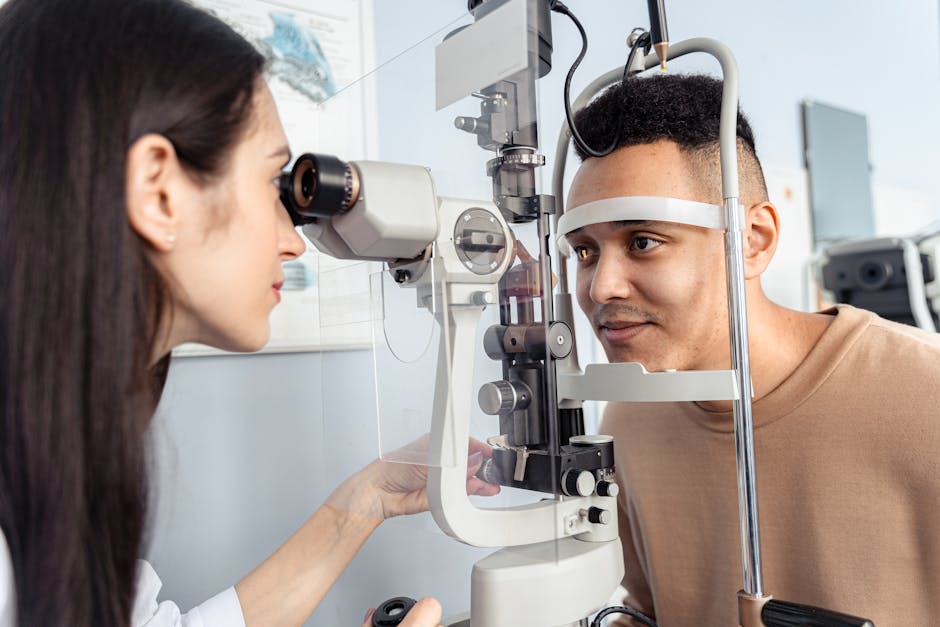
Schedule regular learn more with an eye care professional to monitor your eye health and detect any potential problems early. An eye exam can also help determine if you need glasses or contact lenses to correct any vision problems that may be contributing to eye strain.
Conclusion: Prioritizing Your Eye Health in the Digital Age
While screens are an integral part of modern life, it's essential to be mindful of their potential impact on your eye health. By understanding the risks and implementing the strategies outlined above, you can protect your vision and enjoy the benefits of technology without compromising your eye health. If you're experiencing persistent eye discomfort or vision changes, don't hesitate to schedule a comprehensive eye exam with Professional Eyecare Oak Park. Clarity You Can Trust – schedule your appointment today!
Frequently Asked Questions
What exactly is digital eye strain?
Digital eye strain, also known as computer vision syndrome, is a group of eye and vision-related problems that result from prolonged computer, tablet, e-reader, and cell phone use. It can lead to discomfort and visual issues due to the unique demands of viewing digital screens.
What are common symptoms of digital eye strain?
Common symptoms include eye fatigue, headaches, blurred vision, dry eyes, and neck and shoulder pain. These symptoms can arise from focusing on small text, dealing with screen glare, and maintaining a fixed posture for extended periods. If you experience these symptoms, consider scheduling an eye exam.
How can I reduce the effects of screen time on my eyes?
Taking regular breaks, adjusting screen brightness and contrast, and ensuring proper lighting can help. Following the 20-20-20 rule—looking at something 20 feet away for 20 seconds every 20 minutes—is a good practice. Consulting with an eye doctor can also provide personalized recommendations for your eye health.
Have Questions About Your Eye Health?
Schedule an appointment with our expert team today.
Book an Appointment